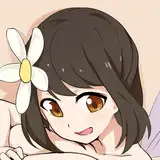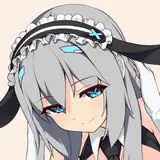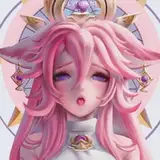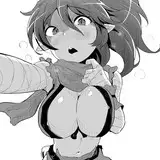
I hope you all are keeping well and happy! I was a bit ambitious thinking I could finish this piece over the weekend but I can see the finish line just up ahead~
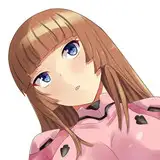
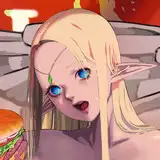
I'm planning on making two versions, one with clothes and one that is nude. You guys will get exclusive access to the latter! That being said, those WIPS aren't in this post because it feels redundant to share that alongside these two images at the moment, since they are very visually similar. I've also yet to pin down what is going to be said in those speech bubbles but rewatching playthroughs in hollow zero make me think that Ray is the type to offer alot of praise to her favorite independent investigator. Mix that with the need to be a little quick so no one enters the tent and that is something I can work with for sure! (ㅅ´ ˘ `)
A few people have asked me about my workflow and for more details regarding my process, so to prevent myself from bloviating on this post while I try to define the elusive "vibe" i'm going for- I would love to show you guys my photoshop workspace in hopes it might offer any useful insight or at the very least would be neat to see! („• ֊ •„)
I rely heavily on organizing my layers by folders and colors, because the more detailed a piece is the more of said layers I tend to have. Green is for layers that I have completed and no longer need to work on! I also tend to lock my green layers so I don't accidentally merge them or edit them. Orange are for layers that I plan to merge down, and those layers are always a clipping mask layer. As you can see I tend to separate out certain details like a shirt or hair and then I clip them onto the sea foam layers. Yellow are my standing layers which will turn green when those orange and seafoam layers are merged onto them. I only do that when I'm done rendering or editing things. ദ്ദി(˵ •̀ ᴗ - ˵ ) ✧
Another neat trick that Photoshop allows me to use is the fx addition to layers which you can see on the yellow CLR layer towards the bottom and on the TXT layer (the speechbubbles) at the top. The stroke effect adds a border around the edges of whatever is on that layer and I use that to thicken the edges of my line art so the figures stand out more against the background. It's a little cheat rather than going back and manually adjusting the line weight I've already drawn. (..◜ᴗ◝..)
As always I hope you all keep well and I thank you so so much for your support and patience!! I'm hoping to be ambitious and finish this piece the very same day I share this post but we shall see. If not today than tomorrow for sure, and once this piece is done I will have the next weekly sketch done soon as well. I'm planning to sketch Yanagi next since a few of you guys really wanted to see her although she didn't win the poll. ㅤ( ˊᵕˋ )♡
Nost
2025-06-18 01:00:48 +0000 UTC