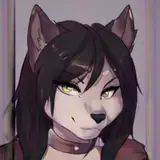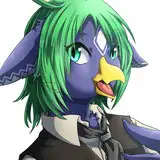
From scratch made asset.
🚨 5240 tris. 2 mesh, 1 material
🚨 Fitted for Torinyans original Cyant avatar
🚨 Drag and drop installation with VRC Fury
🚨 The original avatars hue, brightness and emission sliders controls the Hole as well.
🚨 Hole open blendshape. Works with SPS compatible plugs.
Without VRC Fury, you need to make your own toggles. Merge the VRC parameter and FX in the eye cover folder with your avatar.
Note! When you drop the prefab onto the avatar, its emission and brightness is on 0. That is not a bug. In play mode and in VRC it will look fine.
Torinyan's Cyant avatar can be purchased at:
https://tori-nyan.booth.pm/items/5314122
https://torinyan.gumroad.com/l/knews
https://jinxxy.com/Torinyan/Cyant01
Terms of Use
Changelog:
In case of help or questions, problems please contact me:
Discord: krenki
Discord server: https://discord.gg/Hn9FvJPvtp
Changelog:
1.6 Fixed socket positioning bug
1.5 Compatibility fix for Cyant version 1.5
1.1 Fixed alignment bug
1.0 Initial release
Install VRC FURY. https://vrcfury.com/download/
Poi Toon should be already in your project.
Install the provided unity package
Drag and drop the CyantMaintHole.prefab vrc fury prefab onto the base of your Avatar.
Keep the prefab enabled.
IMPORTANT Add VRC Fury onto the root of your avatar and add the "Fix write defaults" component. Set it to WD On. Without this, the SPS deformation will not work.


Upload and you are DONE
Without VRC Fury, you need to make your own toggles. Merge the VRC parameter and FX in the eye cover folder with your avatar.
Note! When you drop the prefab onto the avatar, its emission and brightness is on 0. That is not a bug. In play mode and in VRC it will look fine.