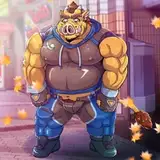
Today's update to the RealChests adds a new design, "Bulky", and changes a few things.
The Bulky design focuses on larger pecs and stomach through a brand-new mesh shape and texture. The second preview picture above shows how the Bulky shape compares to the previously released chests at a 3/4 angle.
I've also changed the way the Chests work:
- Chests are now visible by default.
Based on the recent RealGens poll, it seems the majority prefer parts visible in CAS. That means the Visibility file for the chests from previous posts is obsolete and should be deleted before you install this update (I plan to make a new body part hider for my content soon-ish).
- The texture overlays have been added to the chests as swatches.
The textureless versions remain the default swatch, so you can continue to use them with any CC skins or textures. The second swatch for each chest contains the associated overlay, so you don't have to add it via the Skin Details/Tattoo section anymore. This means the overlay files are also obsolete, and can be deleted or kept if you prefer.
- Textured versions of the chests are in the Body Selector.
The new swatches for each chest, with the built-in textures, are part of the Body Selector now. When you select a male top in-game, there is now a second version of each chest with the suffix "[Textured]".
I hope these updates make the chests a little easier to use, especially for anyone who doesn't want to manually add an overlay to their sim.
INSTALLATION
If you were using the Visibility file for the chests, delete it. Then let this new version overwrite your previous version.
I'm attaching the Smooth CAS Default file so the files are in one place, but it hasn't been changed since the last update. Don't download it if you already have it.
Simdulgence
2020-01-20 09:46:44 +0000 UTCDatmanv
2020-01-19 17:53:49 +0000 UTC