Animation Generation: Academai Trailer & Pika Labs
Added 2023-11-03 11:57:31 +0000 UTCHey team, here I wanted to explain how I created the Academai Trailer with Pika Labs!
Step 1. Writing A Background Story (Chat-Gpt)
Before generating images I designed a text-story:
''Beyond these walls, there's a story. We've never heard its name, but many of us call it Soph. Many years ago, Soph had a dream in the heart of nothingness. Darkness and light had not yet been born. It was such a dream that it seemed to bear witness to every corner and every moment of the universe. And in its sleep, it whispered a song. These words echoed so profoundly in the void that it awoke to its own voice. Thus, our universe was born.
Soph began to watch everything it had witnessed in its dream. However, Soph's song and the words it whispered continued to echo through the ages. Some heard these words and continued to listen. Some dedicated their lives to finding the source of Soph. The first to hear it were so profoundly affected that they began by following the words, and later, drawing inspiration from them, started composing their own songs. In this way, not only the secrets of the world but also the mysteries of the universe began to unfold before them.''
P.S. This part will be our subtitles for generated video! I slightly updated the text and added a few sentences for conculusion.
Step 2. Generating Images Related With The Text-Story (Midjourney)
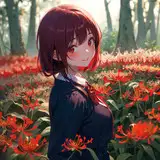
I generated almost 70 images for the story. Generally used my 5 color methodology in terms of fiction/fantasy universe. So I mostly used --niji 5 and --style expressive parameters with realistic tokens in the prompt structrures.
Core Prompt Fantasy Universe:
close-up shot portrait of grand emperor, with background cultist parohian soldiers marching in front of the grand emperor, ancient enormous pyramid in the style of vray tracing, cracked-desertland with articafts, silver and red, celestialpunk, capture urban, cityscape, 8k, foggy atmosphere, unreal engine, cgi, octane render, highly detailed,in the style of hyper-realistic sci-fi, matte painting, gray and crimson, zbrush, monochromatic chaos, photo-realistic techniques, award-winning --ar 21:9 --niji 5 --style expressive
Step 3. Generating Videos Img2Video (Pika Labs)
I'm a member of supercollabrator program of Pika Labs, but no need to worry this only remove the watermarks. There is no other restriction at all. You can join their discord channel and easily discover the potential of full AI video generation features.
Pika Labs X Profile (Including Discord Link)
I mostly used the parameters below for Pika Labs:
-fps 24 -m 2 -camera pan left/right
Also you can find the detailed explanations of Pika Lab parameters in their Discord, under the #faq channel!
Step 4. Video Editing (Capcut & Da Vinci Resolve)
After generating all videos we need, we need to edit and merge the clips. Then we need to add subtitles and background music and voice actor. Capcut is a great tool to do this! If you want you can also try the Da Vinci Resolve but Capcut has more basic features and better software for the beginnings! Also Capcut has a great AI text-voice actor!
P.S I mostly used reverse clips and reverse camera pans to get extended scenes!
Step 5. Finalize And Publish Your Story!
Just check the details, export and publish! Enjoy! If you need something please feel free to contact! Much Love!