![Durg Plush / Pooltoy - VRChat avatar [PC / Quest]](https://img5.saketami.com/storage/7/kd/ij/9a2cd0-019e85b6-74c5-77e6-8b0c-cc8c49739853.jpg)
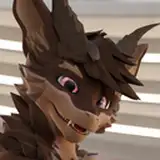
Give hugs or talk to people about their woes.
The Durg Plush is here to help you help you help support your friends!
Public test Avatars link:
https://vrchat.com/home/avatar/avtr_9032a8d4-9b98-41ed-bc66-94aa9b579608
Features include:
- Pooltoy mode Toggle
- Spawnable Couch
- Contact receivers for headpets, cheek squeeze, NoseBoops and hugs.
- Pre-packaged Unity package with scene's set up and ready for upload.
- Beginner friendly setup
- All source files. (Photoshop, Blender and Substance Painter)
- Custom made Expression menu and icons
- Direct and quick personal support for any issue's via Discord
- Free future updates and bug fixes
info: Overall Performance: Good
Base Body: 17k Tris
Material count: 4 (incl Pooltoy toggle)
Meshes: 2
My official DurgPlush Discord channel:
- Am I allowed to have a public version of this avatar?
Yes, Absolutely! I encourage showing off your creativity and sharing it with other people.
- It's not working, Can I get a refund?
Yes, Note that this will be done via Gumroads own refund system.
Upon purchase of the Durgarra you are free to do whatever you want with the model,
The following is not allowed:
1. Claiming the work as your own is strictly prohibited.
2. Re-selling or sharing the model is strictly prohibited.
3. I am NOT responsible for any administrative actions taken against you for misuse of the model, or if you break VRChat's TOS.
Thank you for purchasing the the Durg Plush and supporting my work!
In the [Main Unity package] below you will find everything you need to get going for VRChat.
Getting started:
Open Unity via the Vrchat creator companion. (if you don't have it yet: https://vrchat.com/home/download)
Open the downloaded Unity package When unpacked you can ether double click the Durg Plush.scene or Drag the prefab onto your scene.
It is advised to use the Vrchat creator companion.
Need help and are looking for a community to join? Visit my discord's help channel, I'll be actively supporting everyone there and arranging meetups:
Substance 3D Painter is currently the go to software for making textures on 3D models. this is what people use to make their own textures.
Blender file are for users that are well verse in heavy editing of a model but can be fun if you wanna learn for the first time! (file are exported with FBX unit selected)
Adobe Photshop files are (if you are really sure) to edit a texture in 2D, the texture files with the UV as a layer are included in the file.
Totally understandable! I have been updating throughout the year and a lot has been added. The balance of not hiding features and not overwhelming people has been tricky.
Poke you head into the discord server, I will gladly help you with any questions!