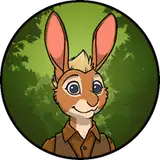
Hippogriffs are too often overlooked, so I wanted to throw my hat into the ring and give them some much needed appreciation. I hope you'll appreciate them just as much.
Use the empty to move the rig, scale it, rotate it, all the transform options. Should keep things from acting weird, but the fur might do that anyway.
Blender Version: I was on Blender 3.5.1, so be sure to update if you haven't. The fur is tied to GeoNodes and earlier versions may not be compatible with the model.
I'm not sure why the fur breaks like it does, but be sure to watch a render in case it happens to break. That way you can avoid the task of having to re-render because the fur exploded or didn't stick to the body. I have no control over the instability, maybe it's due to the way it handles being parented to the body or something, I am literally stumped as to why it's so inconsistent.
But a consistent fix for the hgriff (the only one, really) is to save the file as it is, and reload it. It's the easiest, less prone to break way I've managed to figure out. You could snap the curves to the deformed surface in sculpt mode, but that doesn't always work. He's just a bit wonky with shedding, I guess. Pretty sure it's a fault of the Curve hair system.
Still prefer it to particle hair, regardless of the minor inconveniences.
The textures are no longer packed into the Blend file, so you'll have to either add them all manually (Long and tedious) or use the find missing files function to import them all automatically.
It's a simple enough process:
Maybe you don't need a play-by-play, but it's nice to have a reference for one of the many features in Blender. If my explanation isn't too clear (understandable), there are videos galore on importing files this way. Once you do it the first time, it's impossible to forget.
This model has a few control bones for shapekeys, and you'll see them as yellow arrows on the 3rd Armature Layer. I've added (and reworked/removed) a good bit of them. Just 4 left, and none of them are corrective! His weights are massively improved, deforming like they should, and
It's a big one. It's worthwhile and been a long time coming. He's got some brand new curves, better proportions, fixed weights, and a laundry list of other updates I honestly can't remember, but I'll try:
He's been given the time and energy he deserves, and has been made leagues better because of it. This was the big rework for the last month of 2023, and I'm sure in the future I'll want to change something else. But until then, I hope his new and improved everything is as exciting for you as it is for me. I can't wait to use him in some projects!
If you have any issues, feel free to DM me in any place you find me: Twitter (@nameisproblem), Discord (Server included after purchase!), FA (No-Name-No-Problem), and anywhere else I happen to be (can't remember them all).