Here is a small update with fixes from the latest release, as the contents for this month are still in progress, but we can test further and improve the new saving location setup.
▶ Download Amirian Curse Release from ITCH.IO
▶ Download Amirian Curse (Test) Release (April 7th)
▶ Remember you can still vote this poll to let me know if you want your name-alias in the credits 😉
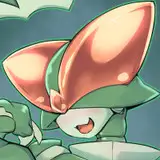
Added/Upgraded Capture2 framesets for Hornet, and included a 4th animation for Capture 2 with random loops for all 4 stages.
Updated Save Path extension. Now it will create the save file within the game as always if the game cannot reach the custom documents save path.
Next changes will come along this month, so you can check out on discord's workshops to see some progress😋
Capture Stage 2 for hornets were sooo static and boring, until now 😉
😍 4 animations cycling randomly!
ℹ The new Saving locations
There have been some users having issues with the save folder setup, so I have tweaked the plugin to perform the following checks:
As you run AmirianCurse, the game will check and try to create the save folder in your documents: Documents/My Games/AmirianCurseGame/save
If it fails, all saves will remain in the local game folder under AmirianCurseGame/www/save
If it succeeds, you will see in your documents/My Games folder an AmirianCurseGame folder, with a save folder within.
As you play the game and save, you will see also if the documents save folder is writting there the game saves, or it all goes under www/save folder, so is a good practice as a test release it is, to check both folders so we all can detect any potential permission/writting error.
Once you know where the game writes the saves, is safe to copy-paste the saved games from earlier versions into such folder.
ℹ It is IMPORTANT to close the game before moving any save among folders!!! 🤯otherwise, the game will keep the list of saves running from the active session and might not update properly the list of saves. As always, is good to keep the earlier version's saves for backup to try again 😉🍺
You will also see a MessageBox while loading the game, and starting a new game (and activating Debug Mode while playing the introduction), where you will see which path route will be used to save the game.

New releases will show up a box in the game config setup to know where are the saves written.
ℹ Saving games within documents or other personal folder out of the game is preferred, as it will get rid of the need of copy-paste all saves from earlier versions for the player, but if this feature causes much trouble, I will disable it for the time being, so we can proceed recovering the older saves every new version as usual.
ℹ About the Steam publishing
Besides that, I have just decided to put on hold the steam setup, as I need to prepare further (and tedious) steps earlier before moving in, thus I will look for other platforms, keeping the early access in Patreon as planned, but this year will be certainly a great year to move on with new projects and options, just in case...
ℹ Polishing, versions and extras
There are plans to test and prepare a Linux port, and continue with the setup of the automatic language conversion and English content checking in the horizon, which will be resumed from next month.
As always, feel free to comment below any suggestion, question, or issue/bug you experience during the gameplay.
🍺A whole Thanks for your support, guys ^^