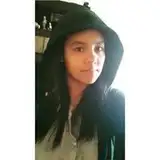
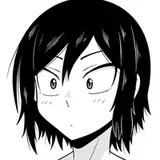
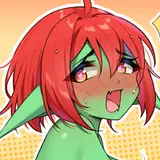
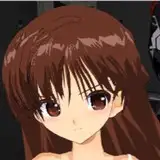
Benji-AnimateDiff-Vid2Anime_FullVersion - Version 20240528
Added 2024-05-28 12:45:01 +0000 UTCRelated Post And Tutorial :
Post: https://thefuturethinker.org/stable-diffusion-video-to-anime-ai/
https://www.patreon.com/posts/105078161
Tutorial https://youtu.be/IkanfUReMXw
The full version of workflow created for Patreon Supporters Only.
Here are some advance features for Full Version Workflow to pay attention of :
ControlNet Setting, with Lineart, Softedge, DepthAnything and Tile(for background)

Do your setting on Strength, not all video are doing the same here
Segmentation Mask , we are switching from CocoSegment to Segment Anything.

Learn how to use Segment Anything here : https://youtu.be/yDViJCBMUlw?si=rK_z1H6P5_XSh2cU
IPAdapter for character and background att_mask. Follow the yellow box note for your configuration.

Lastly, Upscale Group required lots of VRAM. If you GPU are not over 16+ VRAM, I suggest do not use it in the queue. Bypass it if you have to, then bring your Sampling 2 Result to another video upscaler app for upscaling resolution.

And the Film VFI , I suggest GPU with 20+VRAM to turn it on, otherwise you can Bypass this.
Other ideas though
This workflow are pretty much optimize for close up or middle shot video.
Basically, you can use other style checkpoint , lora model, IPA reference images, and text prompt to generate other video style.
Especially for human as character doing realism style, it works as well.
File attached in this post below.
Have fun!
Benji
Comments
Replace with the new IPAdapter node, basically just re-add it again connect the same way is good to go. :), Because IPA did some update recent months of the custome node.
Benjamin Law
2024-10-14 18:35:25 +0000 UTCHi Benji, I know this is an older workflow, the new version doesn't give me the same results (AnimateDiff_IPA_Mask_Realism-Style-3_5.json) as it doesn't use the background replacement image properly or animate it in my attempts. So when I load the old workflow I get an error on the ipadapter section: "IPAdapterAdvanced The size of tensor a (4) must match the size of tensor b (3) at non-singleton dimension 1" I did a check on ipadaptersAdvanced github, and searched forums for the fix. I have had success just deleting and replacing the erroring node in some workflows after the comfyui update, but no luck there, the error remains. I opened both of your workflows to see if I could sus it out and the build appears the same. Maybe it is one of the inputs from another section sending rgbA instead of rgb? I can't seem to locate the solution. It would be great to get this one working for me again. Any help is appreciated.
talon nightshade
2024-10-14 14:40:45 +0000 UTCThe remote host error is normal , we have that lots of time, when processing finish or the GUI in Idel state. For video combine, please aware the Save video option eed to turn On.
Benjamin Law
2024-06-25 15:13:57 +0000 UTCthis is great! I got it all running however, whne it gets to the last group node..(2nd sampleing) it porduce one static image. the Mp4 does save in the output folder in Comfy. not sure why the video combine does not play in the GUI window When lookign at the terminal i see this Prompt executed in 389.88 seconds Exception in callback _ProactorBasePipeTransport._call_connection_lost(None) handle: Traceback (most recent call last): File "asyncio\events.py", line 80, in _run File "asyncio\proactor_events.py", line 165, in _call_connection_lost ConnectionResetError: [WinError 10054] An existing connection was forcibly closed by the remote host any idea why this woudl happen? thanks for your help!
eduardo
2024-06-25 14:42:19 +0000 UTCYea, the freebie stuff expired.
Benjamin Law
2024-06-22 07:33:43 +0000 UTCHello, I may just be overlooking it but I can't find the link for Lite Version ComfyUI Workflow: https://www.patreon.com/posts/105078161, just brings me back to the full version.
Neuman Robinson
2024-06-22 07:31:57 +0000 UTCI found the reason and fixed it on your file attached "benji-AnimateDiff-Vid2Anime_FullVersion.json". It run complete and very fast. Thank you for your support!
Chuong Pham
2024-06-15 18:28:44 +0000 UTCShare full? I think you should pay attention to the video tutorial. I should say a series of Stable Diffusion Animation series of tutorial videos. I understand, most people are lazy to pay attention and spend some time to go through things. They just wanna download and run , i see this typically a zombie. 😉
Benjamin Law
2024-06-15 10:11:49 +0000 UTCChuong Pham
2024-06-15 09:53:02 +0000 UTCYup
Benjamin Law
2024-06-15 09:37:07 +0000 UTCI don't want to use "IPA_Character_Only", i can ignore it? and don't fill folder character and background, so i can submit generate "Queue Prompt" it?
Chuong Pham
2024-06-15 09:24:00 +0000 UTCDo the setting in ControlNet, set it as high as you can for Lineart if you have a close up shot of the face.
Benjamin Law
2024-06-10 21:03:09 +0000 UTCI'm trying to use this with a music video where someone is singing. The face/mouth tracking isn't looking so great. What can I do to improve the face tracking?
Roger Barlow
2024-06-10 21:00:44 +0000 UTCDo setting for CN strength, IPA Linear with Concat or Add.
Benjamin Law
2024-05-31 13:11:00 +0000 UTC@innovate Future, in IPA CHARACTER ONLY, its not taking any character outfit style. only taking background style.
Uday Paila
2024-05-31 13:06:43 +0000 UTCPlease help and share my Youtube video. Thanks
Benjamin Law
2024-05-28 13:01:33 +0000 UTCA really clear and efficient workflow👍👍👍
Crane
2024-05-28 12:53:00 +0000 UTCMerry Christmas to me💃🏻
Crane
2024-05-28 12:47:08 +0000 UTC