SakeTami
Maxed Out
Maxed Out

patreon


⚡ What Mega Flux Can Do – ControlNets, Pulid, Redux, and More

Let me drop some examples from using the Mega Flux exclusives.

My prompts were very simple, so I didn’t include them to avoid clutter.

🧠 Depth:

Flux Depth uses the depth map of an image, letting you prompt for what to fill it with. It's great for keeping the spatial layout while restyling the image however you want.

✏️ Canny:

Flux Canny uses an edge map and also lets you prompt freely. It’s especially good for repurposing parts of an image like the planet in the first example.

🕺 OpenPose:

Self-explanatory. It’s great when you don’t want Depth or Canny getting distracted by other elements in the original image.

🫠 Pulid Face Transfer

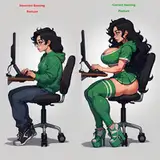
Pulid lets you use a face as a reference and prompt as usual. The result will keep a rough match of the reference face. It’s pretty solid without needing any training, though not perfect. As you can see, it struggled with Aloy’s hair.

🔄 Redux

Use the style of one image to influence another.

🤔 What Else?

There’s also Blend Images, which combines two images into a new one (the dog reference image for Redux was made with this). Then there’s Face Swap and Face Restore.

If you want me to show those too, drop a comment. But for now, I’ll leave it at that and let the images speak for themselves. 🫡

⚡ Want the Workflow?

Everything you just saw was done using the Mega Flux workflow.
It stacks Level 1 and 2, adds powerful tools, and comes with a full one-click installer.
If you want it, it’s available to Power Users who directly help me keep building all of this by supporting me. 🙏

⚡ What Mega Flux Can Do – ControlNets, Pulid, Redux, and More

Comments

There are a lot of questions here, so I’ll keep this brief to avoid essay length. 😅 Face swap with reactor nodes mostly ignores hairstyles and just focuses on the face, though results can be hit or miss. Adetailer can also be used for face swaps by loading a character LoRA and trigger words. I haven’t tested it, but you’d likely need a high denoise so it fully changes the face. For training, I recommend AI Toolkit since the creator is great at keeping up with new models 👉 https://github.com/ostris/ai-toolkit. Images get scaled and bucketed, so you don’t need to stress about resolution. Just avoid very small ones. For Flux, everything scales up to around 1024, so a 200×200 image could teach pixelation. For poses, keep the subject consistent but vary backgrounds, clothes, and objects. That way the model learns the actual pattern you want. LoRAs are basically small tuned weight files. In Comfy, adding them through a LoRA node just patches those weights onto the base model. The goal is simply teaching the model something it doesn't already know. It’s a lot, and I didn't cover everything, but hopefully it’s a solid start. 🙂 Happy to clarify or dive deeper.

Max

Faceswap would be very interesting. How can i get the same "face" while using different hair styles and poses? And another interesting topic: LORA. How to train a Lora. What Input Images do i need, what resolution, what poses / forms / objectives do i need? What does a Lora realy train and how do i get what i want? Do i need an detailer befor or after the Lora trainer?

NadiaNovak

I want the workflow bro I have subscribed to your channel I was waiting for this workflow

Kishore Shopify


More Creators