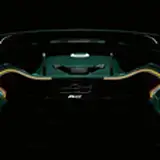
Filter updates include
⚠⚠I CANNOT STRESS THIS ENOUGH! DON'T DRAG IT INTO CM, DOING THAT BREAKS SOME PEOPLE'S GAMES. FOLLOW THE INSTRUCTIONS BELOW⚠⚠
Upon downloading, open the download, open the file called "chxm Graphics", open the file called "assettocorsa" then drag the "extension" and "system" into your root assettocorsa folder, to find your root folder, open steam, go to library, right click on Assetto Corsa, then hover over manage then click "Browse Local Files"
Once you have successfully dragged them into your root folder, launch Assetto Corsa, once you have loaded in, move your mouse to the right and find the app "Pure Config", open it and in the bottom right of it there will be a button called "Import", hit it then hit chxm_pure (or chxm_pure_real if you're using chxm - real - real filter) and then hit Save in the bottom left. Make sure you hit save otherwise you'll have to do this every time you join a game.
Comparison of the two new filters side by side: https://acstuff.ru/u/comparison/jg5
Video settings: https://acstuff.ru/s/GOSuGnCSP preset: https://acstuff.ru/s/zAeElq
Enjoy, and if any assistance is needed feel free to dm me on discord. chxm#0001