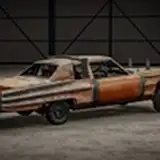
How to properly install DFA (And avoid it being broken on spawn)
Added 2022-11-07 06:51:56 +0000 UTCRead Thoroughly before posting bug reports or asking questions
Step 1: Download latest DFA pack (iretr0x_dfa.zip)
Step 2: Download latest Early Cat (iretr0x_dfa_earlycat.zip)
Step 3: Download latest Charro/GLD (iretr0x_dfa_charro_gld.zip)
Step 4: Download DFA's wheel pack (Scroll down a bit, iretr0x_dfa_wheelpack.zip)
Step 5 (Optional): Download Stickerpack and Landslide addons
Once all files are downloaded, continue to step 6
Step 6: Drag & Drop all the files into your mods folder (don't extract)
Make sure you install the files to your USERFOLDER
do not put the files in the GAME folder
(Filepath: \Users\Your_Username\AppData\Local\BeamNG.drive\0.26\mods\)
This is not the download page for the mods, simply the installation instructions.
(Those look like links above, but they're not)