Ladies and gentlemen,
After the last article showing the design and sketching approach I took to arrive at the final look of the barracks/armory building, I got a lot of very positive feedback on how you guys enjoy this kind of behind-the-scenes stuff. I will try to go into more detail with the upcoming steps so you can see how I do it all.
I am very much enjoying the process of creating this new building and today I am going to show you the prototype builds for the geometry.

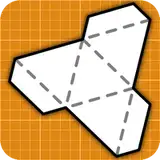
To create a prototype I usually start with modeling the shape in Blender. Once I am happy with the look here, I need to unfold the geometry. This process is assisted by an add-on in Blender where I can draw cuts where I want them to be and then the model will be flattened into the part shapes. These then go into Adobe Illustrator where I do the layout of the parts, adding or optimizing the glue tabs and doing all the missing bits here. If the shape is very simple I actually draw the unfold directly in Illustrator (like the tower roof below) but for more complex shapes I like to have the 3D model (at least in a simple shape) in Blender, so I can add and modify if needed and just repeat the process of unfolding here. This was very handy when doing ship hulls for example.

Blender is a free open source software but Adobe Illustrator you have to pay for (abo price model). An free alternative for Illustrator is the open source Inkscape or the comparatively cheap and fixpriced Affinity Designer. I enjoy the precision and flexibility of Vector base apps for creating the layout. Of course you can also go the Bitmap route and draw your layout in pixelbase apps like Adobe Photoshop ($), Affinity Photo ($), Gimp or Krita (both free). I use Gimp for working on texture pics (more on that in the article about how I paint the models).
I usually design "in grid" meaning that the buildings are mostly in full inch grid dimensions. So houses are 5x3" or 6x4" etc. Now with this building we have these narrow balconies which would become a problem if you wanted to place 1" base minis on them. So I extended all balcony areas 1mm left and right and 2mm away from the house wall making sure minis fit there nicely.
As you can see the test builds all worked great so far. I have noticed a couple of minor things I want to change, but overall it's "Go" towards the next step of starting the texturing. I have designed this building to work as a stand alone core house or combining the core house and one tower. After test builds, I realized that of course you can add two towers (either on the short or long side ... or diagonal?), three would look a bit weird?!?, but then - if you want to go totally crazy - you can encircle the building with four towers. That would look like some sort of very condensed mini castle!
One thing I have been asked most often after the first article was about the possibility of taking the upper floor off, for interior game play. After discussing the best approach in my Discord group, I tried it out and it worked. Check out this video showing me placing the upper floor onto the lower floor.
So now comes the task of actually texturing the models. I will start with the tower as it's a smaller project which I can then release first. I will show you more about my process painting a model in the next post!
Until then, stay safe and keep building :)
Chris
Papierschnitzel
2022-07-20 05:10:23 +0000 UTCDennis Appell
2022-07-19 22:42:04 +0000 UTC