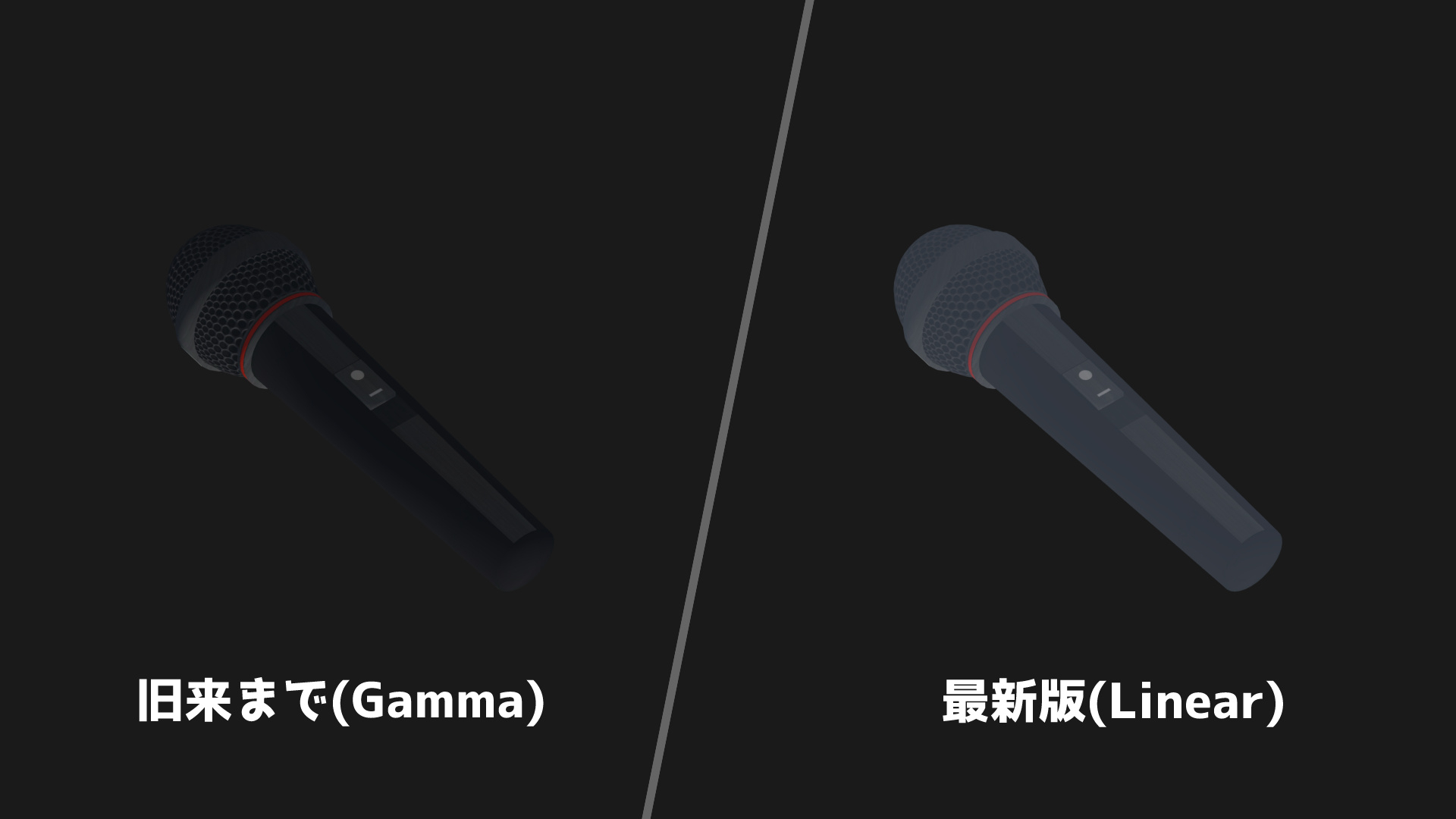
UniVRMの進化に伴い、レンダリングの「Color Space」が「Linear」である必要があったため、PaSha!(0.0.15b)では旧来の「Gamma」から「Linear」へと変更されました。
【Color Space変更による影響】
この影響でアプリ内に表示されるオブジェクトの色味が変わってしまうものがあります。VRoidベースのモデルはMToonが使われることが多く一見違和感はありませんが、PaSha ITEMで「Standard Shader」を利用している場合、発色に大きな変化が出る可能性があります。
これについてアプリ側から自動変換するサンプルも組み検討しましたが、ビルドやロード時の負荷が非常に大きく、Unityバージョンによってシェーダー自体が異なる可能性があるなど、いくつかの問題により断念に至りました。そういった観点から今後のPaSha!においては「Standard Shaderは非推奨」となります。
【暫定的な対処法】
旧来までに制作されたITEMで引き続きStandatd Shaderを使いたい場合、暫定的な対処として、最新版のPaSha_ITEM_SDK(Unity2019.4.25f1)から以下の操作を行えばご利用自体は可能です。
【操作方法】
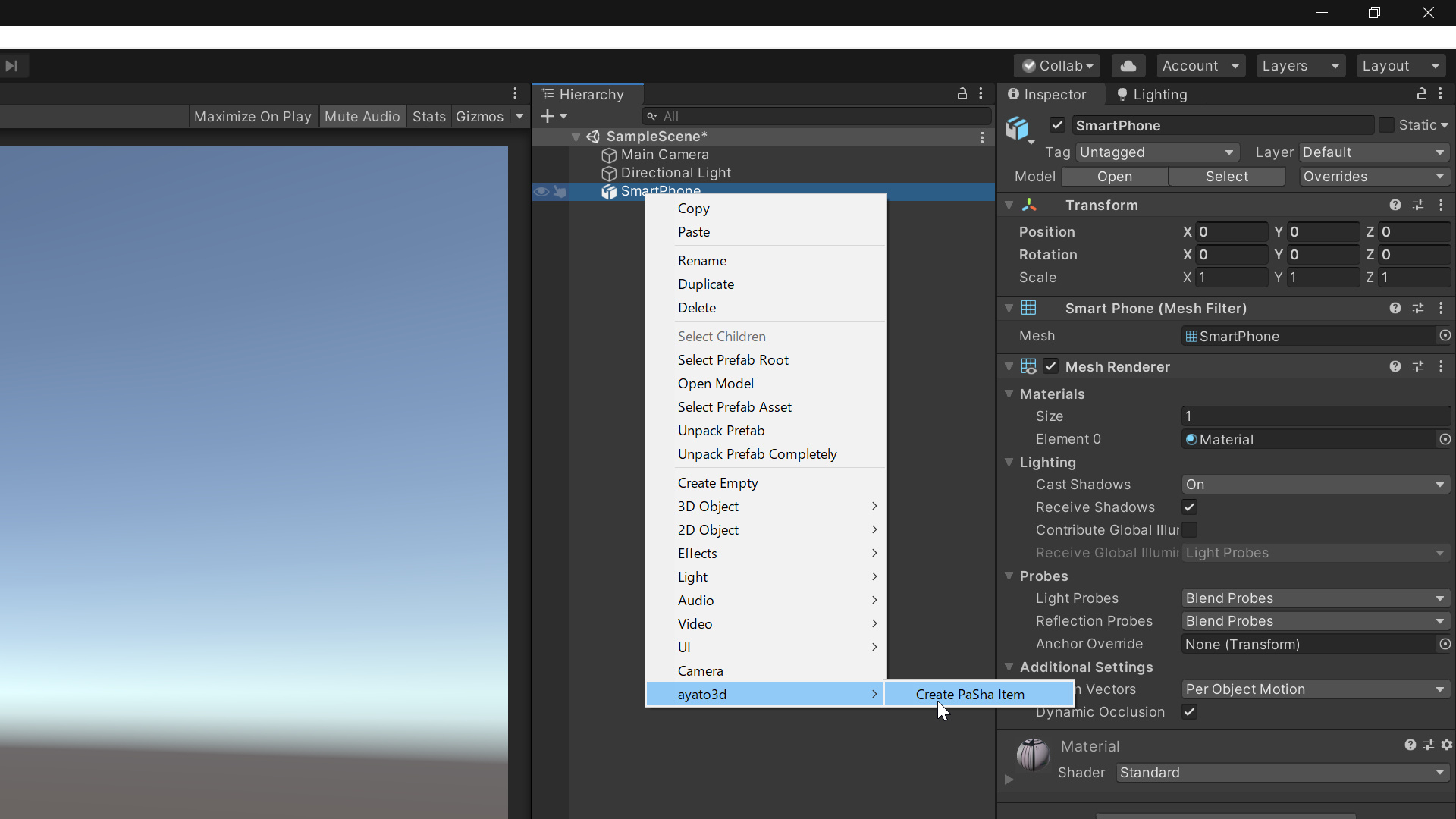
①hierarchy上の該当アイテムを選択し、右クリックからayato3d>Create PaSha Itemを選択します。
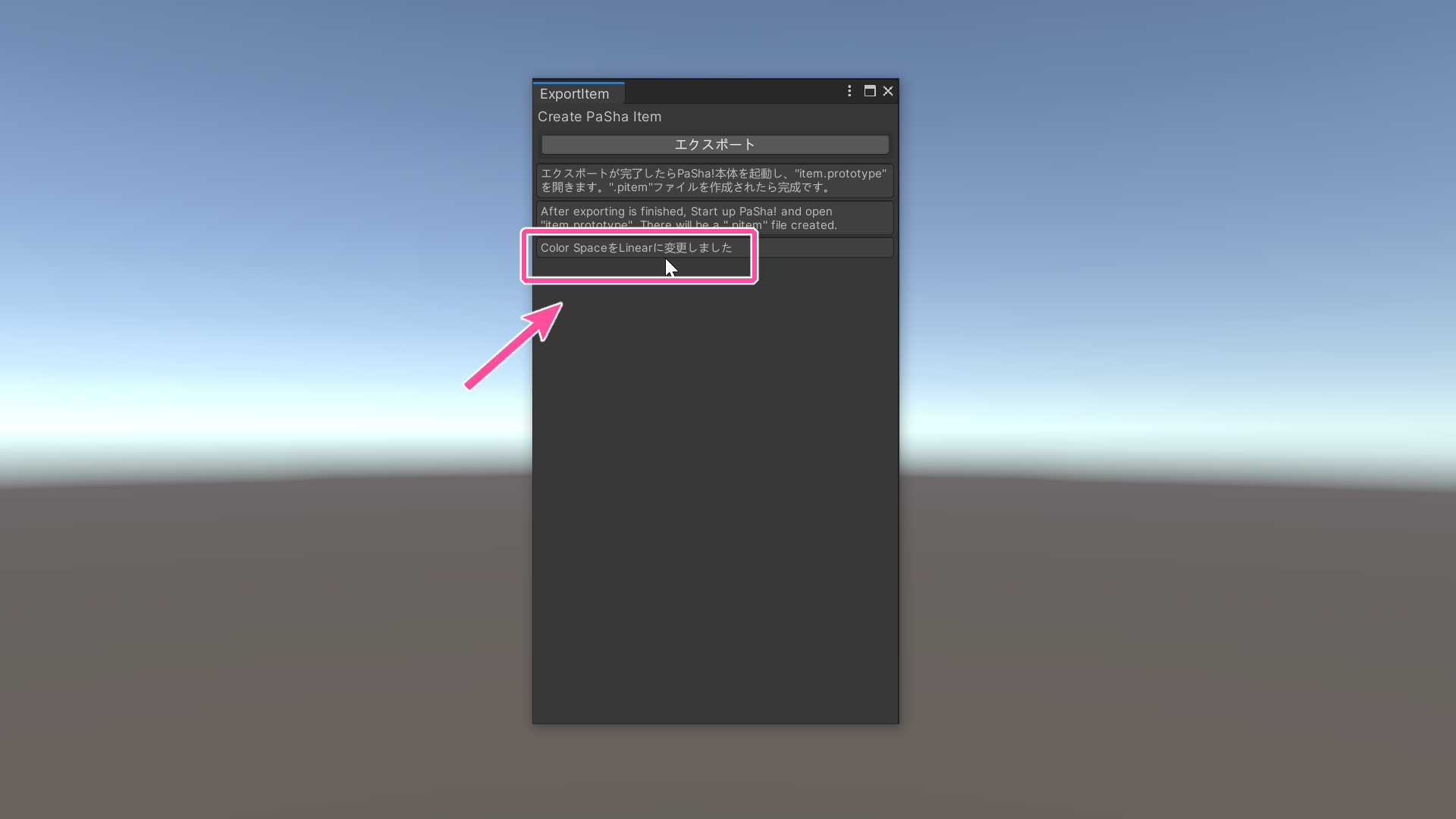
②このように表示されたら何もせずに閉じます。発色に影響を受けるオブジェクトはこの時点で見た目が変わります。既に「Linear」の場合は何も起きません。
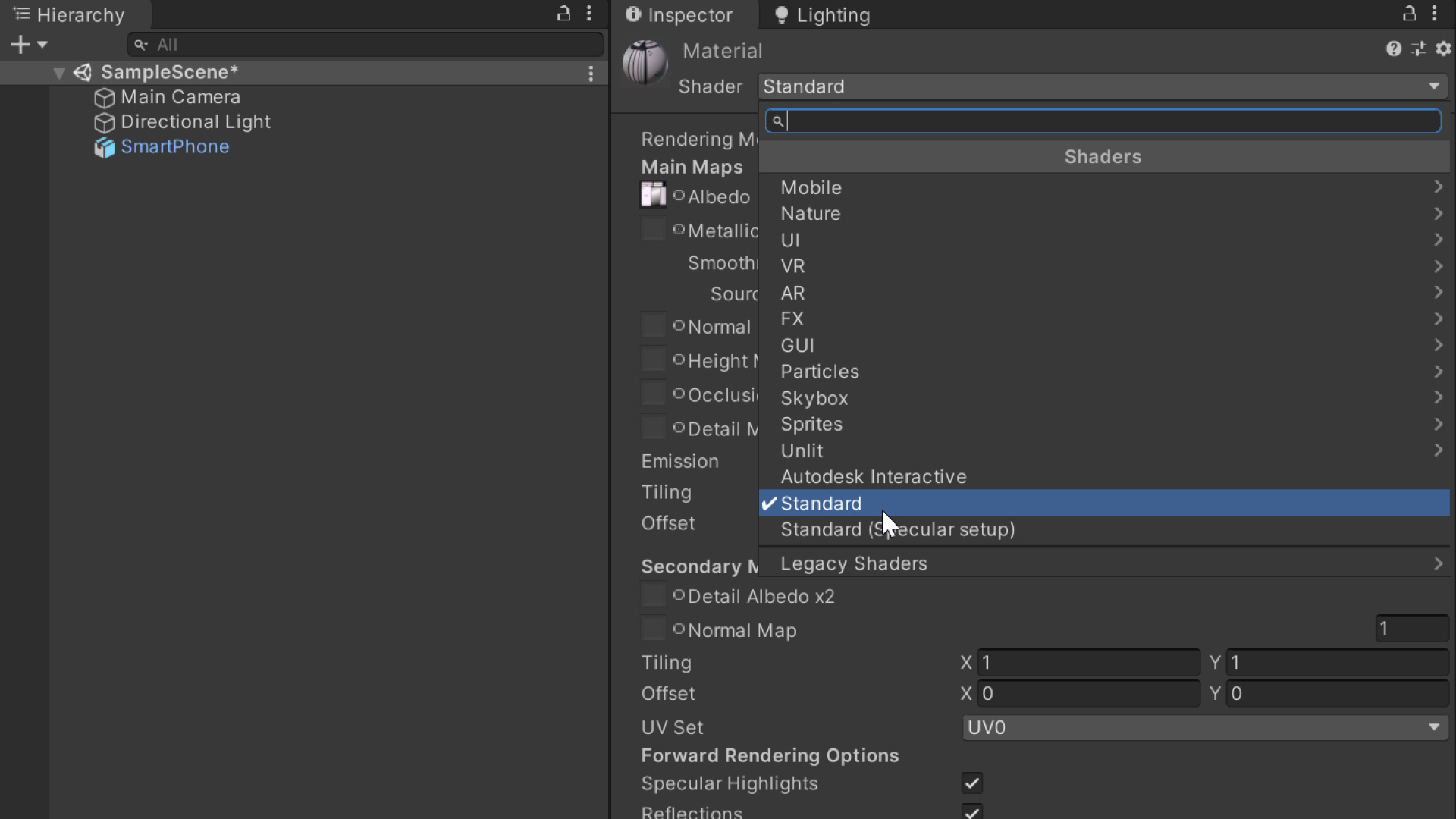
③該当アイテムのマテリアルにアタッチされている「Standard Shaderを再選択」し使用中のUnityの状態に合わせます。ここで色に変化がある場合もあります。この行程は必ず行って下さい。
④意図した色味になるようマテリアルの再設定を行い、通常通りエクスポートします。ただし将来的に再度Unityバージョンが変更された際、同様の手順が必要になる可能性があることを留意した上でご利用下さい。
※なお最新版では手動で「Unpack」する必要がなくなり、よりスムーズに作業ができるようになりました。
【公式からの配布アイテムについて】
ayato3dの支援者様限定アイテムについて、これに該当するものは正常表示ようアップデートを行いました。お多数ですが再ダウンロードしてご利用下さい。
旧SDKからITEMを作成されているユーザー様にはお手数おかけし大変申し訳ございませんが、ご理解の上ご利用頂きますようよろしくお願いいたします。
(English)
With the evolution of UniVRM, the rendering "Color Space" is needed to be "Linear", so it is changed from "Gamma" to "Linear" in PaSha! (0.0.15b).
[Affect of changing Color Space]
Due to this effect, the color of the objects displayed in the app may change. M Moon is often used for VRoid-based models, so it doesn't seem strange at first glance, but if you are using "Standard Shader" with PaSha! ITEM, there is a possibility that the color development will change significantly.
I also considered a sample that automatically converts this from the application side, but it was abandoned due to some problems such as the load at building or loading is very heavy, or the shader itself may differ depending on the Unity version. From that point of view, "Standard Shader is not recommended" in future PaSha!
[Temporary remedy]
If you want to continue using Standatd Shader with ITEMs produced up to the past, you can use it by performing the following operations from the latest version of PaSha_ITEM_SDK (Unity2019.4.25f1) as a temporary measure.
【Method of operation】
1. Select the corresponding item on hierarchy, right-click and select ayato3d> Create PaSha Item.
2. When it is displayed like this, close it without doing anything. Objects that are affected by color development will look different at this point. If it is already "Linear", nothing happens.
3. Reselect "Standard Shader" attached to the material of the corresponding item to match the state of Unity in use. There may be a change in color here. Be sure to perform this process.
4. Reset the material so that it has the intended color, and export it as usual. However, please be aware that the same procedure may be required when the Unity version is changed again in the future.
[About items distributed from the official]
Regarding ayato3d supporter limited items, I have updated the items that correspond to this so that they will be displayed normally. Please re-download the new one.