[Paid Scene] Paranormal Affair
Added 2024-01-04 01:04:35 +0000 UTC
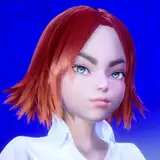
Your wife Alisa has an affair... with a ghost! She pretends nothing is happening but really she only makes it look like she is sleeping while the apparition undresses, gropes, licks and has sex with her!
Start the scene having casual conversation with your wife, transition into the nightly action by offering her to go to bed (after that you need to click on a button above the nightstand lamp).
The scene is much brighter on my VR headset than on my Desktop, and my second Display is even more different. In this scene the ghost is invisible and appears more and more visible as Alisa gets excited. But due to brighness & contrast differences of devices I have implemented a button which will appear during the night segment near your wife's left leg. The button will make the ghost more or less visible so you can adjust it to your own hardware.
Please note! The phantasm only gets visible when she moans and the amount of his transparency will increase from foreplay to sex. Also during several short moments he will always be fully invisible no matter if she moans or not. This is normal, this is how the scene is scripted. By clicking the button you will adjust how much more visible will the ghost get when he is supposed to be. So adjusting his visibility with the button is for scene overall, not for current moment.
Subscribe to Base Tier or higher to gain access to this scene.
You can find this scene in Paid Scenes folder.
Video previews available on the Hub:
https://hub.virtamate.com/resources/paranormal-affair.42361/
I hope you will enjoy!
Comments
in your mail.
VAMFantasy
2024-01-19 04:12:01 +0000 UTChow do i get the folder i paid-
AppleWood
2024-01-19 00:53:49 +0000 UTCThank you. Look please in Community-messages.
Norbert Eisner
2024-01-05 22:53:20 +0000 UTCIf you want to scale the ghost for the same shape throughout the whole scene, you won't need Timeline. But if you want it to change in real time, then timeline it is. As for scale, you can also use morphs for that. That way you are not scaling all of the ghost ar once but only parts you want to. There is a male morph called "thin" and it would scale the whole body shape into a more slicker figure. For a more bulky shape search for "body" in the morph tab and find all sorts of morphs that can be of use. Lastly, to adjust Head size with the body, use "Head Scale" morph. Also you can do all that for limbs separate from the body. But the morphs I've mentioned should be a good place to start! :)
VAMFantasy
2024-01-05 22:23:25 +0000 UTCI haven't figured out how to do this with Timeline yet. But you can only scale 'everything'. Not individual parameters such as body thickness or body width and length. A pity. Then I would have great ideas for a ghost.
Norbert Eisner
2024-01-05 22:14:30 +0000 UTCi have only a shrink-plugin. For scale a figure with a button.
Norbert Eisner
2024-01-05 22:14:20 +0000 UTCAs far as I can tell there is nothing controlling it and, unless given extreme parameters, shouldn't break any animations. So feel free to change his whole Atom Size or maybe use some morphs to reduce\increase his size!
VAMFantasy
2024-01-05 01:41:27 +0000 UTCThank you for sharing this super scene. I like it. If only the ghost could change his body size.
Norbert Eisner
2024-01-04 23:39:11 +0000 UTC