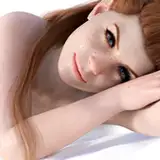
Please note that this guide is in its preliminary phase and may appear rough around the edges, as I've only JUST learned this. Despite that fact, I thought it would be beneficial to share it with the Patron community so they can hit the ground crawling like me!
Rest assured, I am currently in the process of refining the workflow and mastering the techniques myself. Once completed, I will release an updated version with a more professional and streamlined workflow.
Your feedback and queries are greatly appreciated. If any section of the guide is unclear, or if you're puzzled about any aspect, please feel free to comment or send me a direct message. I am more than willing to provide additional tips, tricks, and clarifications on any areas I may have skimmed over.
I am excited to announce that I am in the process of creating an official guide focused on VS style editing. This comprehensive guide will cover the most common tips and tricks I regularly utilize in my work. Stay tuned for further updates, all of which will hitherto be included in the Friday release post!
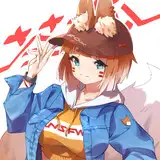
STEP 1: Generate a Character (https://www.midjourney.com/home/?callbackUrl=%2Fapp%2Farchive%2F)
STEP 2: Upload into ICON (https://huggingface.co/spaces/Yuliang/ICON)
STEP 3: Apply Texture (https://www.blender.org/)
STEP 4: Upload to Mixamo (https://www.mixamo.com/#/?page=3)
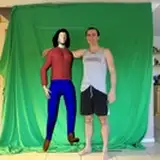
STEP 5: Upload to Plask (https://motion.plask.ai/)
Phil Zehr
2023-08-05 23:35:04 +0000 UTC