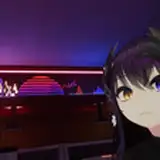
Hello everyone! Here's my first shared ReShade showcase with RTGI, but you can also use it without RTGI. Here's a quick guide on how to install it:
Go to the website https://reshade.me/ and install the latest version of ReShade, then go to https://www.patreon.com/mcflypg/posts and pay for the RTGI effect, which is RayTracing.
Launch the ReShade application and select the .exe file of your game, then choose DirectX 10/11/12 and install all effects.
Download my shared file provided in this post and copy the .ini file with or without RT to the main folder of the corresponding game.
After launching the game, press the HOME button and you can check the tutorial, but it's not necessary. Then click on the blue bar at the top labeled ReShadePreset and find the downloaded .ini file.
To properly use RTGI and some effects, you need to set the display depth, which is quite complicated to describe here, so I'll redirect you to a tutorial on YouTube at https://youtu.be/W9v8qDFniog.
After successfully completing these steps, everything should work, but if you have any questions, feel free to write to me. Thank you!