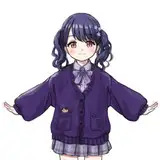
Fallout 4 - North Detroit Become Human
Added 2023-05-13 01:27:16 +0000 UTC
Password: 32ewq
How to use:
Required: looks menu and f4se. Make sure that "esp" is activated.
Enter the SLM 14 command in the console to enter the looks menu.
Select "North Detroit Become Human" preset in the LooksMenu.
To get clothes :
- enter in the console "Help Detroit 0" - and find ARMO ID
- scroll the text with the mouse wheel (if need it),
- then add the clothes to your inventory - "Player.additem ID 1"