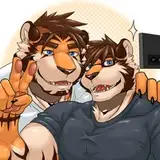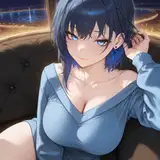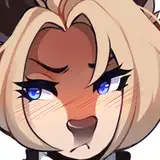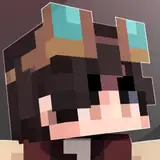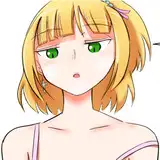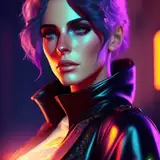
Today, I’ll go over the next Patreon build- and talk about custom patron bottlecaps!
Notice anything different here?
This next patreon build is going to be a bit different- instead of showcasing a new level / bonus level, the new build will instead have new modes & UI.
(Screen has not been stylized yet- visuals are a placeholder)
Introducing the flavor screen: change the flavor of your gameplay! These gameplay modifiers allow you to replay SPP in new ways.
I’m still working on implementing some new flavors too, like Bottlecap Bingo- feel free to suggest even more flavors!
And of course, this upcoming build will have the new Bottlecap Collection screen as well as the new stats screen… and many fixes for the previous build!
This build will be ready around mid November.
The Patreon build after Randomberry Rush, Cherry Carry Cascade Flavor, will include a new bonus level. (Tentatively named “BonusCarry”.) This level further builds on the carry and throw mechanics by exploring a bunch of ideas that didn’t fit in the main level.
This build will be ready around mid-to-late January.
It mostly comes down to a shift in priorities. A few months ago, the plan was to develop new mechanics and levels until the game was more or less content complete.
However, multiple things lined up and a unique opportunity presented itself; I’m going to be working towards a new public demo, releasing in December! However, because of the tight deadline for this demo and the number of things I’d want to develop, I won’t have time to create the level design for “BonusCarry”.
Of course, I’m still trying to meet the triannual Patreon builds- while I can’t directly deliver on the promise of another bonus level as soon as I’d like, I do still want to provide value for the Super Soda+ tier- thus the addition of flavors. These gameplay modifiers were fairly quick and straightforward to implement on my end, so they’re very much worth the development effort for how much potential replayability they introduce.
I have been wanting to implement these modifiers for a long time, too- but as always, main game mechanics and levels took priority, and these modifiers were going to have to be saved for the very end of development.
Lastly, this build is also a good opportunity for testing! In the process of developing mechanics for Level 6, I’ve had to rework pinning and drilling in major ways. I’ve also majorly refactored / optimized penguin deaths, pausing/unpausing, settings, and more. It’s certain that there are some bugs that haven’t been caught yet- and I want to fix as many of them as I can before the new public demo. Be sure to report any issues you run into!
All patron bottlecaps are in the Patreon series- but they’re all missing names and descriptions.
As a thanks for supporting Soda-Powered Penguin, and to help make up for the bonus level delay, I’m also going to be accepting bottlecap designs from patrons! These patron bottlecap designs will appear in the next bonus level.
All patrons are eligible if you do not have a design in the game already. If you do have a design in the game, you should submit a name and description for your bottlecap! This is also a good opportunity to change your bottlecap design if you’re not happy with it.
You can submit bottlecaps in the discord server, via DM on Patreon, or via DM on Discord (@domo_yoro)
Also- for future patrons / reference, bottlecap submissions will no longer be accepted after December 1st.
Bottlecap submissions should have the following:
-Design / theme / reference images
-Name (Up to 40 characters / 20 characters per line)
-Description (Up to 105 characters / 35 characters per line)
Example:
Name: Peppino Pop
Desc: The guy on this one looks really sweaty.
Result:
If you like creating pixel art or just want to give it a try, you’re welcome to sprite the bottlecap label yourself! (Doing so would save me time, too!)
Ideally, you’d use this template to submit it:
You can also use this bottlecap rim to see how the full bottlecap would look:
Palette:

Extended Palette:

I haven't used any colors from the extended palette to create labels, but the option is there if you need it.
I also made a quick guide to show a more streamlined process for creating labels. This doesn’t work for every design, but it works for most of them! This process keeps the bottlecap label creation process simple while also keeping the individual pixels readable for as long as possible.
Always start with the label facing directly forward.
Once you’ve found a design you like, copy + paste that design onto the two neighboring frames, aligned by the edge that’s closer to the eye. (So if the label is rotating right, align the left edge of the forward-facing angle and the left edge of the template.) After that, erase the overdraw (highlighted in green) so that the sprite label shape is the same shape as the template.
Next, squish down the design of the label as much as you can- either by simply scaling the image, or doing it by hand. Once you’re happy with the squished design, repeat the process from earlier- but with the two frames that are two steps away from the center-facing angle.
Finally, copy a column of pixels from those two frames (ideally near the edge closest to the eye) and paste that onto the furthest frames. That’s it!
The process I’ve described for creating a bottlecap label isn’t technically accurate- even with a curved label, there should still be more distortion frames.
A mockup 3D bottlecap with an identical frame rate
It’s pretty hard to understand what the pixels are meant to convey here.
As a professional animator friend once told me: good animation is all about cheating. When we’re working with a tiny 14x14px pixel art circle, the most important thing to prioritize is readability: can you “read” (identify) the detail, and what the pixel art is trying to convey?
So: the easier option (only drawing two rotation angles) is also the more effective option to present these fine details. Lucky!
That’s all I have to show for today- I look forward to seeing everyone’s bottlecaps! And of course, thank you for your support- I wouldn’t have made it this far otherwise.
Ciao!