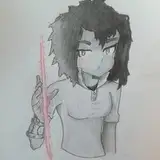
Step 1: Download 3 png files that attached to this post
Step 2: Download and install 3D Wallpaper Parallax - 4D Backgrounds (!not advertising, you can use any application with similar functions!) from the Google Play store: https://play.google.com/store/apps/details?id=com.in.w3d
Step 3: Open "3D Wallpaper Parallax - 4D Backgrounds" on your phone.
Step 4: Tap on plus button
Step 5: Select "Add 3D layer"
Step 6: Tap on plus button
Step 7: Select "Choose from Gallery"
Step 8: Select "1.png"
Step 9: Repeat Step 5, 6, 7, 8 for other two images, choosing "2.png" as second layer and "3.png" as third
Step 10: Tap on preview button
Step 11: If the image fit your screen, proceed to the next step. If it doesn't, you can go back to the previous window and resize the images by selecting them one by one and adjusting with zoom gesture
Step 12: Tap on "Settings" icon
Step 13: Set horizontal and vertical movement value to 6 (works best as for me but may be different if you change image size)
Step 14: Go back to the previous window and tap on "Set wallpaper" icon
Enjoy!
PLEASE DO NOT post the 3D wallpaper to the app. If you do, it will become public and will undermine my work.