Hey Black Mixture Fam!
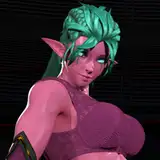
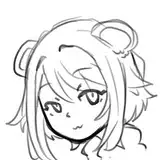
We're excited to present our latest Flux Consistent Character workflow, combining Flux Redux with PuLID and Florence2 auto-captioning. This workflow lets you generate character images by combining any reference image with any face - no LoRA training required!

With Auto-Downloader: Florence2 installs automatically on first run
Standard: For users who already have Florence2
Flux Redux Model:
Download from: Black Forest Labs
Place in: 📂ComfyUI/models/style_models
CLIP Vision Model:
Download from: Google SigLIP
Place in: 📂ComfyUI/models/clip_vision
Diffusion Model:
Download from: FLUX.1 Dev
Place in: 📂ComfyUI/models/diffusion_models
CLIP Model:
Download from: Flux Text Encoders
Place in: 📂ComfyUI/models/clip
Upscale Model:
4x Foolhardy Remacri
Download from: OpenModelDB
Place in: 📂ComfyUI/models/upscale_models
Instant character style transfer without LoRA training using Flux Redux + PuLID
Combines any reference image with any face reference
Integrated PuLID for detail preservation and character consistency
Automatic prompt generation using Florence2 AI - no manual prompting needed
Smart image understanding that captures key character details
Professional upscaling
Multi-stage processing using Addon Picker
🟪 IMPORTANT NOTES: Download links and instructions
🟥 LOAD MODELS + IMAGES
🟨 PROMPT: Automatic Florence2 caption generation
🟦 PULID + GENERATION SETTINGS: Face integration and generation controls 🟩 UPSCALE: High-quality image enhancement processing

This will determine the overall style, pose, and composition
Florence2 automatically generates appropriate prompts from this image

This can be any face image you want to incorporate
The workflow will integrate this face into the new generation

The workflow combines both references to create a new image
Maintains the style and pose of the first reference
Incorporates the facial features from your face reference
Upscales 2x after generation
All without needing to train or load any LoRAs!
Use clear, well-lit reference images
Choose reference images with similar angles for best results
Face references should be clear and forward-facing when possible
Experiment with different reference combinations to find what works best
1. Update ComfyUI to the latest version
2. Download and install all required models in their specified directories:
3. Choose your workflow version:
Autodownload if you want automatic Florence2 installation
Standard if you already have Florence2 installed
4. Import your chosen workflow file into ComfyUI
5. Install any missing custom nodes when prompted by ComfyUI
6. Load your reference image - Florence2 will automatically generate the appropriate prompts
7. Load your face reference image
8. Adjust generation parameters if desired (no prompt writing needed!)
9. Generate and enjoy your consistent character creations!
ComfyUI will prompt you to install any missing custom nodes on workflow import
Face reference images work best when they are clear, front-facing portraits
📹 Tutorial & Support:
Check out our YouTube channel: Black Mixture
Join our Discord: Black Mixture Discord
Access our central hub: Resource Directory
Created by Nate & Chriselle Dwarika from The Black Mixture Team
💝 HUGE Thanks to all of our amazing Patreon supporters and Happy Holidays!